Working Remotely While Traveling in the Philippines
Working remotely has made it easier to combine work and travel, and the Philippines is an appealing destination for digital nomads, freelancers, entrepreneurs, and remote employees.
With 7,641 islands, English widely spoken, improving internet connectivity, diverse destinations, and plenty of opportunities for outdoor activities, the country offers a range of options for people who want to work while exploring.
You can work from a modern coworking space in Makati or Cebu, settle into island life in Siargao, or use Puerto Princesa as a base for exploring Palawan.
This guide covers the essentials, including remote work visas, internet connectivity, the best places to work, accommodation, transportation, and practical tips for staying productive.
Table of Contents
Why Work Remotely in the Philippines?
The Philippines offers a useful combination of affordability, English-language communication, connectivity, and travel opportunities.
Some of the main advantages include:
- English is widely spoken, making everyday communication easier for international visitors.
- Major cities have extensive fiber internet, mobile data, coworking spaces, and cafés.
- You can choose between urban areas and quieter island destinations.
- Domestic flights and ferries make it possible to explore different parts of the country.
- Beaches, mountains, diving, hiking, surfing, and island-hopping are accessible outside working hours.
Your ideal location depends on your priorities. Manila and Cebu are better suited to workers who need infrastructure and reliable services, while Siargao, Palawan, and Bohol offer a more relaxed lifestyle.
Can You Legally Work Remotely in the Philippines?
Visa and immigration rules are particularly important for remote workers.
In April 2025, the Philippine government issued Executive Order No. 86, creating the legal framework for a Digital Nomad Visa (DNV). The program is intended for eligible foreign nationals who work remotely using digital technology while their employers or clients are located outside the Philippines.
The framework includes requirements such as being at least 18, proving remote work and sufficient foreign-sourced income, having no criminal record, maintaining health insurance, and meeting the applicable reciprocity requirements. DNV holders cannot be employed by a Philippine-based entity.
However, travelers should verify the current application process and eligibility requirements before relying on the DNV. The Bureau of Immigration’s current visa listings continue to include established categories such as the Temporary Visitor Visa (9A).
For entry requirements and visa information, see our Philippines Passport & Visa Requirements 2026 guide.
For official information, check the Bureau of Immigration and the Philippine Embassy’s Digital Nomad Visa guidance before making long-term plans.
Best Places in the Philippines for Remote Work
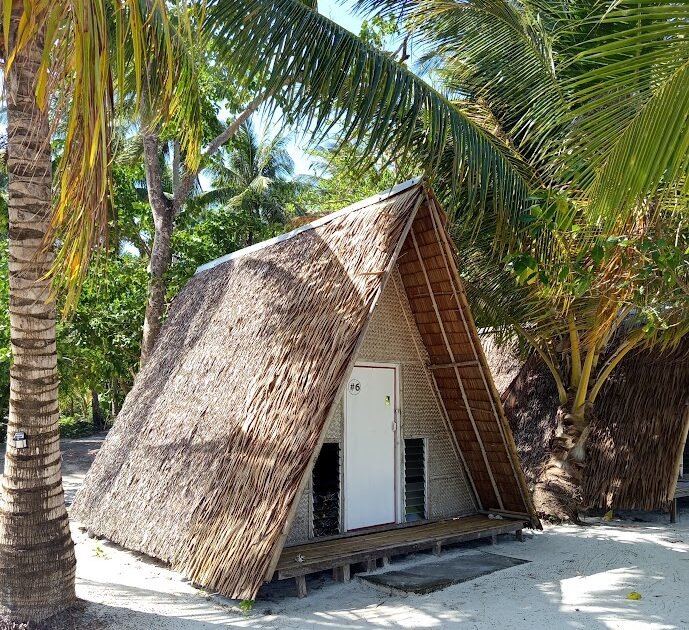
Not every destination offers the same combination of internet, electricity, accommodation, transportation, and workspaces. Choose your base according to how much infrastructure you need.
Makati and BGC
Makati and Bonifacio Global City (BGC) are among the easiest places to work remotely in Metro Manila.
Both offer plenty of cafés, coworking spaces, restaurants, apartments, shopping centers, healthcare facilities, and transportation options. They’re particularly suitable if you have frequent video meetings or need reliable access to services.
The downside is that living costs are generally higher than in many provincial destinations.
Best for: Professionals, entrepreneurs, and remote employees who prioritize infrastructure.
Cebu City
Cebu City offers a good balance between city conveniences and access to outdoor attractions.
You’ll find coworking spaces, accommodation, restaurants, healthcare facilities, and transportation, while beaches, waterfalls, diving sites, and mountain destinations are accessible outside the city.
Cebu is also a convenient base for trips to Bohol, Siquijor, and Negros.
Best for: Remote workers who want reliable city infrastructure with easy access to weekend adventures.
Siargao
Siargao, particularly General Luna, is popular with digital nomads who want a more social island lifestyle.
The area has cafés, coworking and coliving options, and a growing remote-work community. However, power and internet reliability can vary, so check your accommodation’s connection and backup power before booking a longer stay.
Best for: Surfers, creatives, freelancers, and travelers who prioritize island life.
Puerto Princesa and Palawan
Puerto Princesa is a practical base for remote workers who want to explore Palawan while maintaining access to city services.
For those heading farther north, El Nido offers incredible scenery, but connectivity can vary between accommodations. If your work depends on video calls, cloud applications, or large file transfers, confirm the internet setup before booking.
Palawan is also a good destination for travelers who want to combine remote work with motorbike exploration.
Best for: Nature lovers, independent travelers, photographers, and long-stay visitors.
Bohol and Dumaguete
Bohol works well for travelers who want beaches, countryside, and convenient tourism infrastructure without staying in a major city.
Dumaguete is another option for remote workers looking for a more relaxed urban environment and access to destinations such as Siquijor and Apo Island.
Both can be worth considering for longer stays, but always verify the internet connection and power situation at your accommodation.
Internet and Mobile Data for Remote Work
A reliable internet connection should be one of your top priorities.
Fiber internet is increasingly available in urban areas, while mobile data provides useful backup connectivity. Connectivity can still vary significantly between neighborhoods, islands, and individual accommodations.
Before booking, ask about:
- Download and upload speeds
- Internet provider and connection type
- Backup internet
- Power backup
- Mobile signal
- Whether the connection is shared with many guests
The Philippines’ connectivity infrastructure continues to expand. For example, Globe reported continued fiber growth in 2026, with fiber accounting for approximately 93% of its home broadband revenues in Q1 2026.
However, don’t assume that a destination with good internet in one neighborhood will have the same service elsewhere.
Should You Get a SIM Card or eSIM?
Yes. A local SIM or eSIM is one of the simplest ways to create a backup connection.
Major mobile options include Globe, Smart, and DITO, although coverage varies by location. The National Telecommunications Commission provides information on mobile network operators and SIM registration.
For remote work, having two connectivity options is safer than depending entirely on hotel or apartment Wi-Fi.
For example:
Primary: Accommodation fiber Wi-Fi
Backup: Local mobile data or eSIM
This setup can be especially useful when traveling between islands or staying in smaller communities.
Coworking Spaces vs. Cafés
Coworking spaces are generally better for workers who need stable internet, air conditioning, meeting rooms, quiet areas, or a professional environment.
Cafés are useful for lighter tasks such as writing, emails, research, and administrative work. However, noise, seating, Wi-Fi quality, and access to power outlets can vary.
If you have an important video meeting, use a coworking space or accommodation with verified internet and power backup rather than assuming a café connection will be reliable.
How to Choose Accommodation for Remote Work
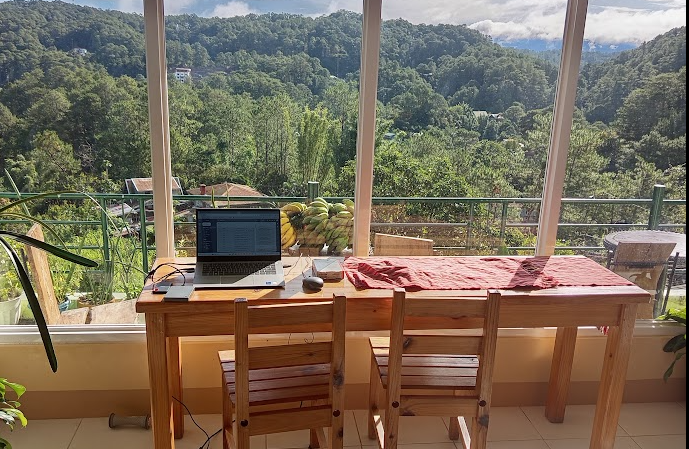
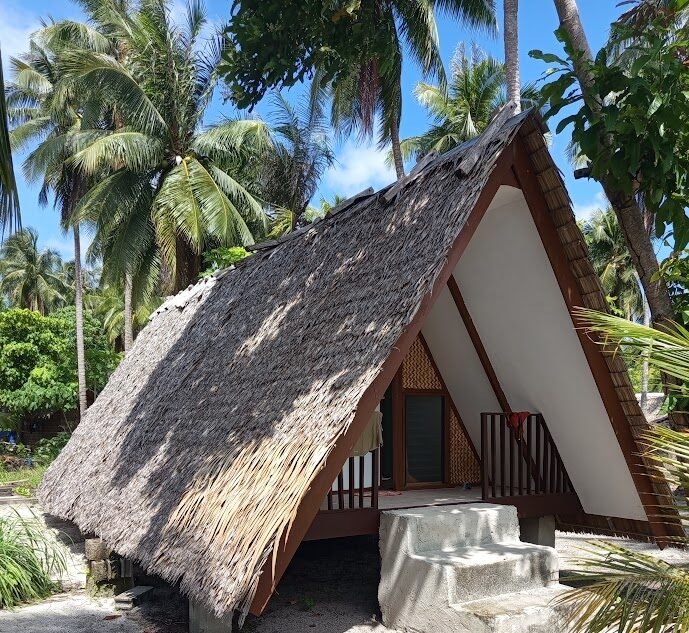
A beautiful beachfront property isn’t necessarily a good remote-work base.
Before booking, check:
- Wi-Fi speed and reliability
- Backup internet
- Generator or battery backup
- Desk or suitable workspace
- Mobile signal
- Noise levels
- Air conditioning or ventilation
- Distance to restaurants, supermarkets, and transportation
For remote workers, reliable internet and electricity are often more important than a perfect view.
If you’re staying for several weeks or months, being close to everyday services can also make your routine much easier.
Cost of Living for Remote Workers
The cost of living in the Philippines varies considerably by location.
Metro Manila and popular destinations such as Siargao and El Nido can be more expensive, especially during busy travel periods. Provincial cities and less-touristed destinations often provide more affordable accommodation and everyday expenses.
Your biggest expenses will usually include:
- Accommodation
- Food
- Internet and mobile data
- Transportation
- Coworking
- Activities and entertainment
Instead of relying on a fixed monthly budget, compare these costs in your chosen destination before committing to a long stay.
Getting Around While Working Remotely
The Philippines has a broad transportation network that includes domestic flights, ferries, buses, vans, jeepneys, and tricycles.
For longer stays, choose a location where you can easily reach supermarkets, restaurants, healthcare facilities, transportation, and workspaces.
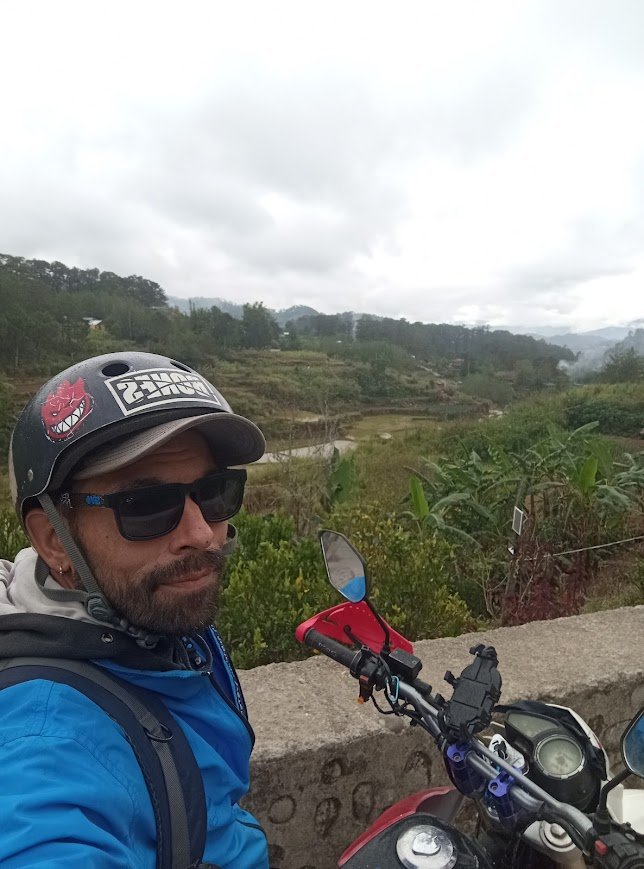
In smaller towns and islands, a motorbike can be useful for reaching beaches, cafés, markets, and nearby attractions.
If you plan to explore Palawan between workdays, a motorbike gives you more flexibility than relying entirely on scheduled transportation. Make sure you have the appropriate license and understand local road rules before riding.
You can also read our guides on How to Travel Around by Motorbike in the Philippines and The Ultimate Guide to Motorbike Rentals in Palawan for more information.
Working Across Time Zones
The Philippines uses Philippine Standard Time (PHT), UTC+8, year-round and does not observe daylight saving time.
This works well for remote workers serving clients in Asia and Australia but can make meetings challenging if your team is based in Europe or North America.
Before choosing your destination, consider your actual working hours. A quiet apartment with reliable Wi-Fi may be more useful than a beachfront property if you regularly attend late-night or early-morning meetings.
How to Stay Productive While Traveling
Working from paradise sounds easy, but constant travel can quickly disrupt your routine.
These simple habits can help:
- Choose a proper workspace instead of working from bed.
- Keep mobile data as a backup.
- Carry a power bank or portable battery.
- Schedule sightseeing around your working hours.
- Avoid changing accommodation too frequently.
- Test your internet before important meetings.
The goal isn’t to work from the most beautiful place every day. It’s to find a setup where you can work reliably and enjoy your destination after work.
What to Pack for Remote Work
You don’t need a complicated setup, but a few items can make remote work much easier:
- Laptop and charger
- Local SIM or eSIM
- Power bank
- Universal travel adapter
- Headphones
- Cloud backup
- Portable hotspot option
- Second internet connection
- Travel insurance
If your job involves frequent video calls or large files, prioritize stable internet and backup power over an isolated location with limited infrastructure.
Safety Tips for Digital Nomads
Remote workers often travel with expensive laptops, phones, cameras, and other equipment.
Keep your passport, electronics, and valuables secure, particularly when working in cafés or shared spaces. Avoid leaving devices unattended and use secure connections when accessing sensitive work accounts.
Back up important files using cloud storage so losing or damaging your laptop doesn’t mean losing your work.
It’s also a good idea to keep digital and physical copies of important travel documents.
Frequently Asked Questions
Is the Philippines good for digital nomads?
Yes. The Philippines offers English-language communication, diverse destinations, coworking spaces, mobile connectivity, and different accommodation options. Your best destination depends on how much you value infrastructure versus island lifestyle.
What is the best place in the Philippines for remote work?
For infrastructure, Makati, BGC, and Cebu City are strong choices. For island living, consider Siargao, Palawan, or Bohol, but verify internet and power reliability before booking.
Can I work remotely while traveling in the Philippines?
The Philippines created a Digital Nomad Visa framework through Executive Order No. 86 for eligible foreigners working remotely for overseas employers or clients. Check the latest official requirements before relying on a particular visa status.
Does the Philippines have a Digital Nomad Visa in 2026?
Yes, the legal framework for a Digital Nomad Visa was established through Executive Order No. 86 in 2025. Travelers should verify the current application process and requirements with the appropriate Philippine authorities.
Is internet reliable enough for remote work?
It can be, particularly in major cities and established tourist areas, but quality varies by location. Always verify your accommodation’s connection and maintain a mobile-data backup.
Should remote workers get a Philippine SIM card?
Yes. A local SIM or eSIM provides an affordable backup when accommodation Wi-Fi isn’t available or when you’re traveling between destinations.
Can I work from cafés?
Yes, but cafés aren’t always ideal for important meetings. Coworking spaces or accommodation with verified internet are generally better for calls and focused work.
Is the Philippines affordable for digital nomads?
It can be, but costs vary significantly. Metro Manila and popular island destinations are generally more expensive than provincial cities and less-touristed areas.
Can I travel around the Philippines while working remotely?
Yes. Domestic flights, ferries, buses, vans, and other transportation connect many destinations. However, moving too often can make it harder to maintain a productive routine.
What is the biggest challenge of working remotely in the Philippines?
For many remote workers, the main challenges are internet reliability, power interruptions, time-zone differences, and maintaining a consistent work routine while traveling.
Final Tips for Working Remotely in the Philippines
The Philippines can be a rewarding destination for remote workers, but the best experience comes from planning around your work requirements first.
Before choosing a base, check internet quality, backup power, mobile coverage, accommodation, transportation, and time zones. If you need dependable video calls, don’t sacrifice connectivity just for a more scenic location.
Once your work setup is sorted, you can spend your free time exploring beaches, islands, mountains, towns, and local communities.
The key to successful remote work in the Philippines is simple: choose a reliable base, maintain a backup connection, work around your schedule, and give yourself enough time to enjoy the country.
Follows us on Facebook
Tips and Tricks
- Bringing Regulated Items
- Transport Options
- Popular Destinations
- Religion in the Philippines
Travel Adventures Diary
- Adventure Tours in Manila
- Adventure Tours on Bantayan Island
- Adventure Tours in Cebu
- Adventure Tours on the Island of Negros
- Adventure Tours Siquijor
- Adventure Tours in Guimaras
- Adventure Tours Gigantes
- Adventure Tours in Metro Manila
- Adventure Tours Puerto Princesa
- Adventure Tours in El Nido
- Adventure Tours in El Nido and Puerto Princesa
- Adventure Tours Baguio City
- Adventure Tours Sagada
- Adventure Tours Buscalan
- Adventure Tours Banaue
- Adventure Tours Pangasinan
- Adventure Tours Hundred Islands
- Adventure Tours in Metro Manila
- Adventure Tours in Leyte
- The Bamboo Paraiso Beach Resort
- Best Tour in Pangasinan